
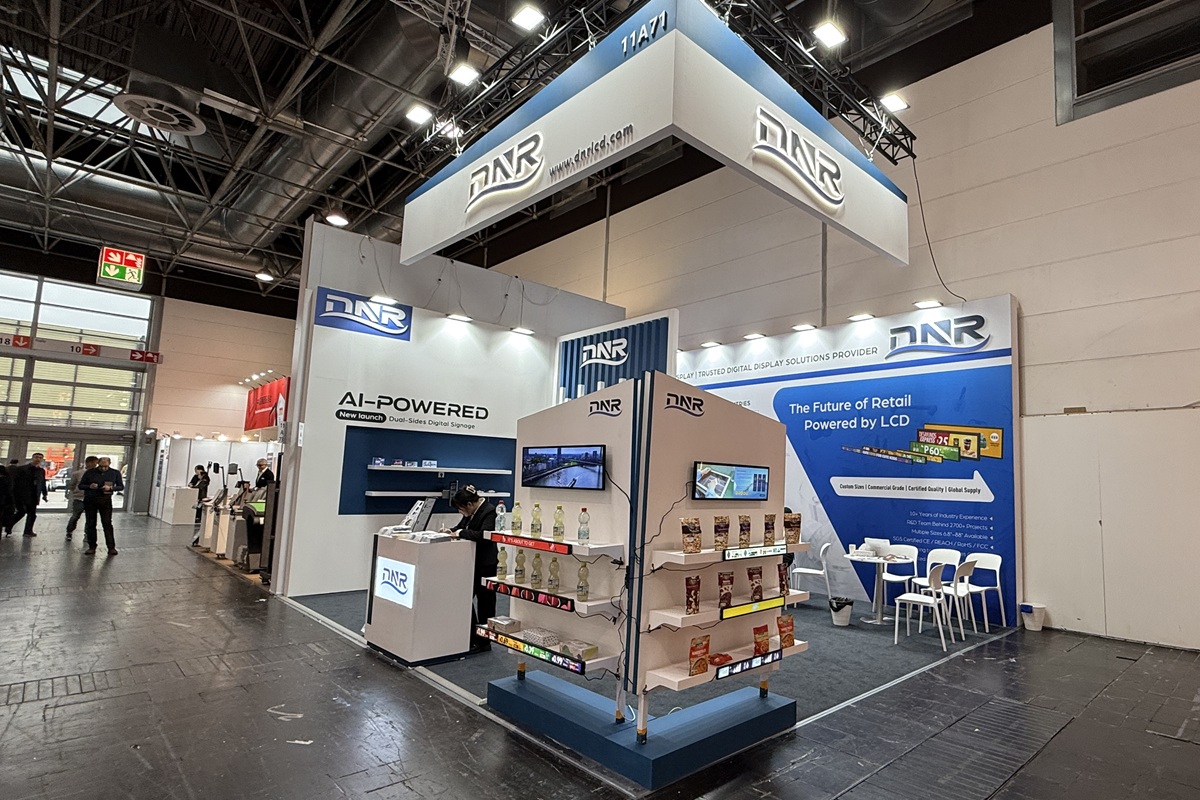
Let’s cut through the noise: in-store digital merchandising isn’t just about flashy screens or fancy tech—it’s about transforming how customers interact with your products. In a world where 80% of purchase decisions happen in-store, digital merchandising is no longer optional. It’s a strategic tool that can increase sales, reduce returns, and create memorable shopping experiences. Whether you’re running a small boutique or a national retail chain, this guide will walk you through every step of the digital merchandising journey, from planning to implementation to long-term optimization.
1. What Is In-Store Digital Merchandising? Why It Matters
In-store digital merchandising refers to using digital tools to enhance product presentation, drive engagement, and support sales. It’s not just about replacing static signage with screens—it’s about leveraging technology to create a more dynamic, personalized, and efficient shopping experience.
Why It Matters
- Increased Engagement: Digital displays can grab attention, show product details, and create interactive experiences that static signage can’t.
- Real-Time Updates: Prices, promotions, and inventory can be updated instantly, reducing errors and improving customer trust.
- Data-Driven Decisions: Analytics tools let you track what works, optimize content, and make smarter merchandising choices.
- Enhanced Brand Experience: Digital merchandising can tell a story, highlight brand values, and create a cohesive in-store environment.
Key Components of In-Store Digital Merchandising
- Digital Displays: Menu boards, product kiosks, and wayfinding screens.
- Interactive Elements: Touchscreens, QR codes, and AR (augmented reality) features.
- Content Management Systems (CMS): Tools to schedule, update, and manage digital content.
- Integration with Retail Systems: Sync with POS, inventory, and customer data for real-time accuracy.
2. Planning Your In-Store Digital Merchandising Strategy
Before diving into hardware and software, plan your strategy. A well-thought-out approach ensures your digital merchandising aligns with your goals, audience, and store layout.
Step 1: Define Your Goals
- Increase Sales: Use promotions, product demos, or interactive kiosks to drive purchases.
- Reduce Returns: Use product videos, reviews, or detailed descriptions to set accurate expectations.
- Improve Customer Experience: Use wayfinding, ambient content, or personalized messages to make shopping easier and more enjoyable.
- Enhance Brand Image: Use brand storytelling, visual consistency, or interactive elements to create a memorable experience.
Step 2: Understand Your Audience
Who are your customers?
Are they tech-savvy millennials or traditional shoppers?
What products do they buy? What content do they engage with?
Where do they spend time?
Use foot traffic analytics to identify high-traffic zones.
Place digital displays near product aisles, checkout counters, or high-traffic entry points.
Step 3: Map Your Store Layout
- Identify key merchandising zones:
- Product showcases (e.g., electronics, fashion, or food).
- High-traffic areas (e.g., entrances, checkout counters, or end caps).
- Interactive zones (e.g., kiosks, AR experiences, or product demos).
Plan for scalability:
Start with a few displays and expand as needed.
Ensure cable management, mounting stability, and network reliability for future growth.
Real-World Example
A national electronics retailer uses digital merchandising to highlight new product launches in high-traffic zones. By mapping customer flow, they place screens near popular products, increasing engagement and sales.
3. Choosing the Right Hardware and Software
Your hardware and software choices will determine how effective your digital merchandising is. Here’s how to pick the right tools for your needs.
Hardware Essentials
Displays:
- LED or LCD screens for high-traffic areas.
- Interactive touchscreens for product demos or self-service options.
- Stretched bar displays for menu boards, promotions, or wayfinding.
Media Players:
System-on-chip (SoC) players for simple setups.
External media players for complex content like live video or interactive apps.
Mounts:
- Wall mounts for fixed locations.
- Ceiling or rail mounts for flexible setups.
- Tabletop mounts for interactive kiosks.
Software Essentials
- Content Management System (CMS):
- Cloud-based CMS for multi-location retailers or remote management.
- On-premise CMS for enterprises with strict data security requirements.
Analytics Tools:
Use dwell time, click-through rates, and conversion metrics to optimize content.
Integrate with POS systems to track sales performance.
Integration with Retail Systems:
Sync with inventory management to show real-time stock levels.
Connect with customer data to personalize content.
Best Practices for Hardware and Software
- Start with a pilot: Test one display and CMS before scaling up.
- Choose hardware that fits your environment: Indoor displays vs. outdoor displays, static vs. interactive.
- Use a CMS with real-time updates: Ensure content matches inventory, promotions, and customer behavior.
4. Designing Engaging Digital Content
Content is the heart of digital merchandising. A well-designed display can turn passersby into buyers, while a poorly designed one can go unnoticed.
Key Content Types
- Product Videos: Show product features, usage, or customer testimonials.
- Interactive Demos: Allow customers to explore products (e.g., try on virtual clothes, test gadgets, or view 360° product views).
- Dynamic Pricing: Reflect real-time discounts, seasonal offers, or limited-time deals.
- Social Proof: Display customer reviews, ratings, or social media mentions.
- Wayfinding: Use maps, directions, or store layouts to help customers find what they need.
- Personalized Promotions: Use customer data to show tailored offers (e.g., “You might like this: 20% Off Our Signature Coffee!”).
Best Practices for Content Design
- Use high-quality visuals: Clear images, videos, and animations that show the product in action.
- Keep it simple: Avoid overloading with text or animations. Focus on one message per screen.
- Leverage interactivity: Use QR codes, touchscreens, or voice-activated displays to encourage engagement.
- Test different formats: Experiment with grid layouts, scrolling text, or video content to see what resonates with your audience.
Real-World Example
A fashion retailer uses interactive touchscreens to let customers try on clothes virtually. This reduces returns and increases sales by showing how products look in real life.
5. Integrating Digital Merchandising with Retail Systems
Digital merchandising only works if it’s integrated with your existing systems. Here’s how to connect your displays to inventory, POS, and customer data.
Key Integrations
- Inventory Management: Show real-time stock levels to avoid overpromising.
- POS Systems: Sync promotions, pricing, and product details with your point-of-sale system.
- Customer Data: Use purchase history or loyalty program data to personalize content.
- Marketing Platforms: Integrate with email, SMS, or social media to create omnichannel experiences.
Best Practices for Integration
- Use APIs or pre-built integrations: Most CMS platforms offer ready-to-use connectors for POS, inventory, and marketing systems.
- Ensure data accuracy: Regularly update content based on inventory, promotions, or customer behavior.
- Train staff: Ensure employees understand how to use digital merchandising tools.
- Test before launch: Run A/B tests to ensure content works well with your systems.
Real-World Example
A grocery store chain integrates digital signage with their inventory system. When a product runs out of stock, the signage updates instantly, reducing confusion and improving customer satisfaction.
6. Implementing Digital Merchandising in Your Store
Now that you’ve planned and chosen your tools, it’s time to deploy your digital merchandising strategy.
Step 1: Install Hardware
- Mount displays in high-traffic areas.
- Ensure proper cable management and network connectivity.
- Test displays in the environment to ensure brightness, placement, and visibility.
Step 2: Set Up Your CMS
- Create content templates for product videos, promotions, and wayfinding.
- Schedule content updates based on inventory, promotions, or time of day.
- Set up analytics to track engagement and optimize content.
Step 3: Launch and Monitor
- Start with a few displays and scale up based on performance.
- Monitor engagement metrics (e.g., dwell time, clicks, or conversions).
- Use feedback from customers and staff to refine your strategy.
Real-World Example
A coffee shop uses digital signage to show daily specials and customer reviews. By monitoring engagement, they adjust content to increase sales and improve the customer experience.
7. Optimizing Digital Merchandising Over Time
Digital merchandising isn’t a one-time setup—it’s an ongoing process of testing, learning, and refining.
Tips for Optimization
- Run A/B tests: Compare different content formats (e.g., text-only vs. video-based promotions).
- Use analytics to refine content: Focus on what works best for your audience.
- Update content regularly: Keep promotions, pricing, and product details accurate.
- Train staff to use digital tools: Ensure employees understand how to manage content.
- Integrate with new technologies: As AI, AR, and edge computing evolve, adopt new features to stay ahead of the curve.
Real-World Example
A retail store uses AI-powered content optimization to show the most relevant products based on customer behavior. This increases sales and improves the shopping experience.
8. Common Mistakes to Avoid
- Ignoring hardware placement: A screen in a corner won’t engage customers.
- Overloading with content: Too much text or animation can distract shoppers.
- Not integrating with systems: A signage system that doesn’t sync with inventory or POS can lead to errors.
- Neglecting maintenance: A crashed player or outdated content can hurt your brand image.
- Not training staff: Employees who don‘t understand digital tools can’t leverage their full potential.
How to Fix It
- Test hardware placement before deployment.
- Keep content simple and focused.
- Ensure integration with all systems.
- Schedule regular maintenance and updates.
- Train staff on digital tools.
9. The Future of In-Store Digital Merchandising
As AI, AR, and edge computing become more common, digital merchandising will become even more interactive, personalized, and data-driven.
- AI-Powered Personalization: Use machine learning to show tailored content (e.g., product recommendations based on past purchases).
- AR Experiences: Let customers view products in 3D or try them on virtually.
- Edge Computing: Process data locally for faster updates and better performance.
Trends to Watch
- Interactive product displays: Customers can explore products, compare features, or place orders directly from the store floor.
- Personalized promotions: Use customer data to show targeted offers.
- Omnichannel experiences: Connect in-store displays with online shopping, loyalty programs, or mobile apps.
10. Final Thoughts: Digital Merchandising = Retail Superpower
In-store digital merchandising is no longer a luxury—it’s a necessary tool for modern retail. From product demos to personalized promotions and real-time updates, the right digital strategy can increase sales, reduce returns, and create a more engaging shopping experience.
Remember: The goal isn’t just to show something—it’s to show something that matters to your customers at the moment they see it.


Leave A Comment