
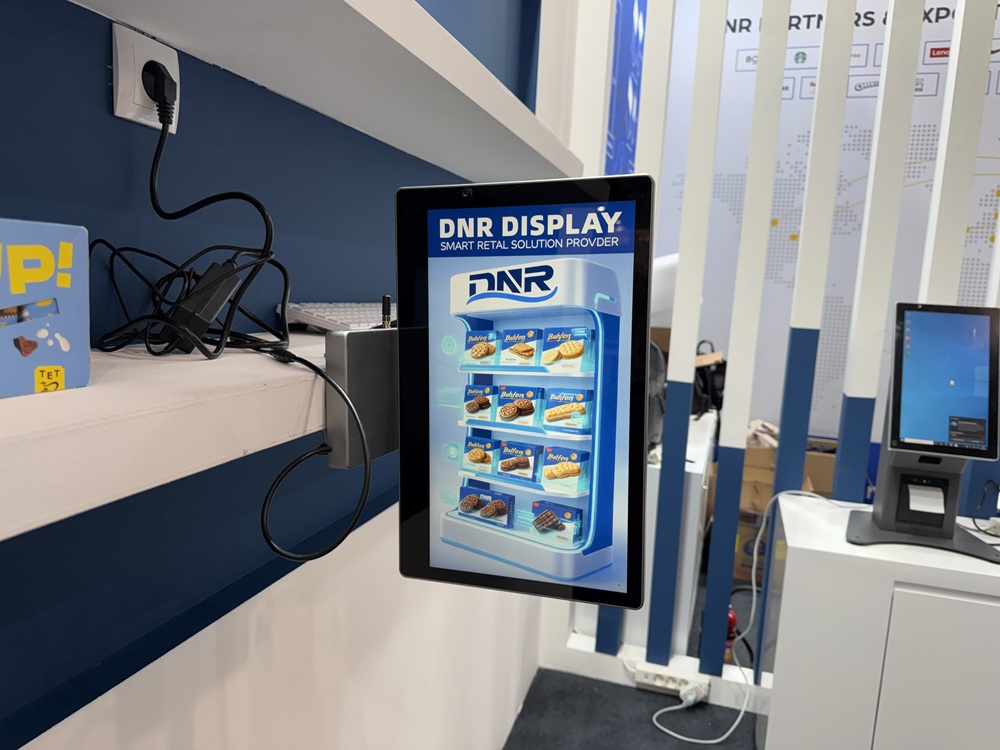
Let’s cut through the jargon: digital signage hardware isn’t just about picking the flashiest screen you can afford. It’s about matching the right components to your goals, environment, and budget. Whether you’re deploying a single display in a retail store or managing a network of screens across multiple locations, the hardware you choose will determine how well your content performs, how easy it is to manage, and how long it lasts. Let’s break down the three pillars of digital signage hardware: displays, media players, and mounts—and how to pick the right ones for your needs.
1. Displays: The Heart of Your Signage
Your display is the face of your digital signage. It’s what viewers see, what your content is projected on, and what determines how your message is received. Here’s what to consider when choosing a display:
Key Factors to Evaluate
- Resolution: HD (1080p), 4K, or even 8K? Higher resolution is better for large screens or detailed content, but it also costs more.
- Brightness: Indoor vs. outdoor? Displays for outdoor use need 1,500–3,000 nitsto compete with sunlight. Indoor displays can get away with 300–700 nits.
- Form Factor: Stretched bar displays, portrait screens, or standard rectangular displays? Choose based on your content and space.
- Durability: IP ratings (e.g., IP65 for dust/water resistance), operating temperature ranges, and vibration resistance matter for industrial or outdoor use.
- Connectivity: Does your display support HDMI, DisplayPort, or USB-C? Do you need built-in Wi-Fi or Ethernet?
Common Display Types
- LCD Displays: Affordable, widely available, and suitable for most indoor applications.
- LED Displays: Brighter, more energy-efficient, and ideal for large-format or outdoor use.
- OLED Displays: High contrast and vibrant colors, but expensive and rarely used for large-scale signage.
Pro Tip
If you’re deploying in a high-traffic retail environment, go with LED displays for brightness and energy efficiency. For outdoor installations, prioritize IP65-rated screens and weatherproof enclosures. For smaller, indoor deployments, LCD displays with built-in SoCs (system-on-chip) can save you from needing an external media player.
2. Media Players: The Brain Behind the Screen
Your media player is the engine that drives your content. It handles video playback, runs your CMS, and ensures your signage stays up-to-date. There are two main types: system-on-chip (SoC) players and external media players.
SoC Players: Integrated and Affordable
What They Are: These are all-in-one devices that combine the display, processor, memory, and OS into a single unit. Think of them as smart TVs for signage.
Pros:
- Lower cost (no need for a separate player).
- Easier to deploy (one device per screen).
- Built-in OS (Android, Linux, or custom) for content management.
Cons:
- Limited upgradability (can’t swap out the processor or RAM).
- Less flexibility for complex content or multi-screen networks.
External Media Players: Powerful and Flexible
What They Are: Separate devices that connect to your display and run your CMS. They’re like mini PCs for signage.
Pros:
- High performance for 4K video, live data feeds, and interactive content.
- Upgradable (add more RAM, swap out the OS, or upgrade to a newer model).
- Centralized management (update multiple screens from one player).
Cons:
- Higher upfront cost (player + display).
- More complex setup (cables, configuration, and maintenance).
Pro Tip
If you’re deploying dozens of screens, go with external media players for scalability and control. If you’re going for cost-effectiveness in a small deployment, SoC players can be a great fit.
3. Mounts: The Foundation of Your Deployment
Your mount is the unsung hero of digital signage. A poorly mounted display can become a safety hazard, a maintenance nightmare, or simply a screen that’s never seen. Here’s what to consider:
Mounting Options
- Wall Mounts: The most common choice. Look for fixed or tilting mounts based on your viewing angles.
- Ceiling Mounts: Ideal for high-traffic areas like airports or train stations. Use pendant mounts for tall ceilings.
- Rail Mounts: Perfect for transit displays or retail environments where displays need to be repositioned.
- Shelf Mounts: Great for retail gondolas or point-of-purchase (POP) displays. Ensure the shelf can support the weight.
Key Considerations
- Weight and Size: Larger displays need sturdy mounts. Check the VESA compatibility of your display.
- Cable Management: Look for mounts with cable ports or hidden cable channels to avoid clutter.
- Security: For public spaces, consider locking mounts to prevent theft or tampering.
- Adjustability: Tilting or rotating mounts can improve viewing angles and content visibility.
Pro Tip
For outdoor displays, use weatherproof mounts and vibration-resistant hardware. For retail environments, shelf mounts with cable management are a must.
4. Putting It All Together: A Step-by-Step Guide
Here’s how to choose the right hardware for your deployment:
Step 1: Define Your Use Case
- Indoor vs. Outdoor: Brightness, durability, and connectivity matter.
- Single Screen vs. Network: SoC players work for single screens; external players are better for networks.
- Content Type: Interactive content needs a powerful media player. Static content can work with SoCs.
Step 2: Set a Budget
- Displays: LCDs are cheapest; LEDs and OLEDs are pricier.
- Players: SoCs are cheaper; external players cost more but offer more flexibility.
- Mounts: Basic mounts are affordable; premium mounts with security features cost more.
Step 3: Evaluate Your Environment
- Lighting: Bright displays are needed in sunny areas.
- Space: Wall mounts work best for fixed locations; rail mounts are better for flexible setups.
- Climate: Outdoor displays need IP ratings and temperature resistance.
Step 4: Test Before You Buy
- Request samples from vendors.
- Test in your environment (e.g., check brightness in sunlight or test mounting stability).
- Check reviews for durability, performance, and customer support.
Pro Tip
If you’re unsure, start with a small pilot deployment. Test one display, player, and mount combination before scaling up.
5. Common Mistakes to Avoid
- Ignoring Brightness: A display that’s too dim won’t be seen in bright environments.
- Overlooking Mount Stability: A wobbly screen is a liability.
- Choosing the Wrong Player: A low-end SoC might not handle 4K video or interactive apps.
- Neglecting Maintenance: Cheap mounts or players can fail quickly, leading to downtime.
How to Fix It
- Ask vendors for recommendations based on your use case.
- Invest in quality hardware—it pays off in the long run.
- Plan for maintenance (e.g., include spare parts in your budget).
6. Final Thoughts: Hardware Is the Foundation
Hardware is the bedrock of your digital signage. No matter how great your content is, it won’t shine if your display is too dim, your player crashes daily, or your mount fails.
Remember: The best hardware isn’t the flashiest—it’s the one that fits your needs, budget, and environment.


Leave A Comment