
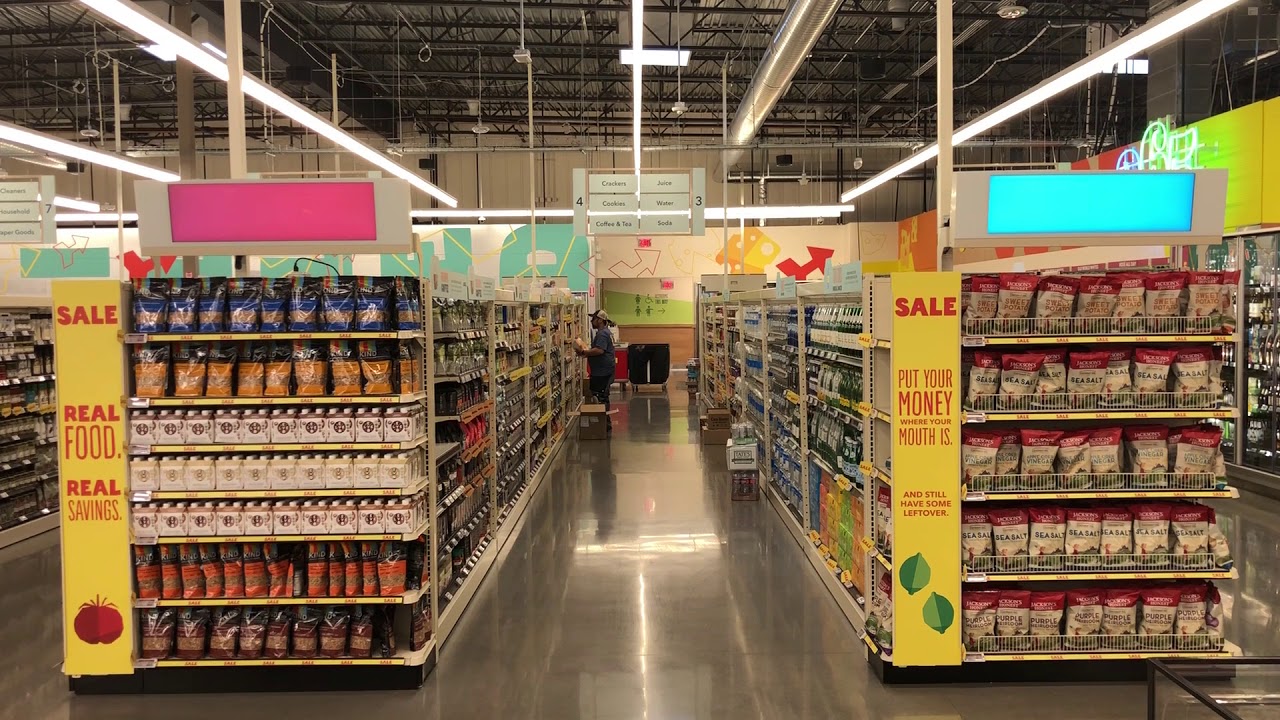
Shelf edge LCD display Buying Guide: Choosing the Right Size, Brightness, and Resolution
For businesses looking to enhance in-store marketing or customer engagement, Shelf edge LCD displays (also known as digital signage) are powerful tools. However, selecting the right screen for your needs can be overwhelming, especially if you’re a first-time buyer. This guide breaks down three critical factors—size, brightness, and resolution—to help you make an informed decision tailored to your business goals.
1. Screen Size: Balancing Visibility and Space
The size of your Shelf edge LCD display directly impacts its visibility and integration into your store’s layout. Here’s how to choose wisely:
a. Consider Your Audience’s Viewing Distance
Close-range displays: If your target audience will stand within 3–6 feet of the screen (e.g., product shelves in a grocery store), opt for smaller screens (19–32 inches). Larger sizes may overwhelm the space or distract from products.
Mid-range displays: For areas where viewers are 6–15 feet away (e.g., end caps or checkout lanes), 32–55-inch screens strike a balance between visibility and practicality.
Long-range displays: In open spaces like mall entrances or large retail stores, 55-inch+ screens ensure content is legible from afar.
b. Match Screen Size to Shelf Dimensions
Measure the available space on your shelves or walls. Oversized screens may block adjacent products, while undersized ones might go unnoticed. Use a ruler or virtual mockup tool to visualize fit.
c. Avoid Common Mistakes
Don’t confuse physical dimensions with visible area. A 42-inch diagonal measurement refers to the screen’s diagonal length, not its width/height.
Resist the temptation to “go big” without considering power consumption and cost. Larger screens often require more energy and upfront investment.
2. Brightness: Ensuring Clarity in Any Environment
Brightness determines how well your content competes with ambient light. The key metric here is nits (cd/m²):
a. Indoor vs. Outdoor Environments
Indoor use: Most indoor settings (retail stores, cafes) require 300–500 nits. Higher brightness can cause eye strain or glare.
Outdoor use: Direct sunlight demands 1,000–2,000 nits to prevent washout. Look for screens with anti-glare coatings or adjustable backlighting.
b. Balance Performance and Energy Efficiency
Excessive brightness wastes power and shortens screen lifespan. Opt for screens with automatic brightness sensors that adjust based on environmental light.
c. Test Before You Buy
If possible, request a demo unit to evaluate visibility under real-world conditions. Some manufacturers exaggerate brightness ratings, so third-party reviews can be invaluable.
3. Resolution: Sharpness Meets Content Needs
Resolution defines image clarity. Common options include Full HD (1920×1080) and 4K UHD (3840×2160).
a. Match Resolution to Content Type
Text-heavy displays: Full HD suffices for clear readability at close range.
High-definition visuals: 4K enhances photo/video quality but requires compatible media players and higher bandwidth.
b. Consider Viewer Proximity
Screens viewed up close (e.g., beauty counters) benefit from 4K to avoid pixelation.
Screens seen from a distance (e.g., supermarket aisles) may perform adequately with Full HD.
c. Budget Realistically
4K screens cost 20–50% more than Full HD models. Assess whether the visual upgrade justifies the expense for your specific use case.
Additional Tips for First-Time Buyers
Durability Matters: Retail environments expose screens to dust, moisture, and accidental bumps. Choose IP-rated screens (e.g., IP54 for dust/water resistance).
Mounting Options: Verify compatibility with your shelving system. Some screens require specialized brackets or wall mounts.
Content Management: Pair your screen with user-friendly software to update promotions remotely. Avoid manual USB updates for efficiency.
Conclusion
Selecting the ideal Shelf edge LCD display involves balancing technical specs with your business’s unique requirements. By prioritizing size, brightness, and resolution based on viewer proximity, environment, and content type, you’ll create a compelling digital experience that drives engagement without breaking the bank. Remember: there’s no one-size-fits-all solution—tailor your choice to your store’s layout, audience, and budget for maximum impact.


Leave A Comment