
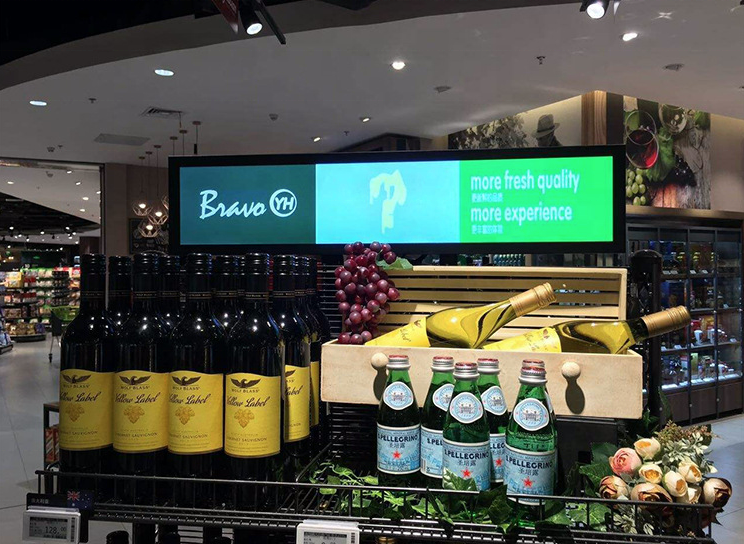
Purchasing for a stretched bar display and suddenly drowning in terminology? Android, Linux, no-OS, System-on-Chip, external player required—it’s enough to make anyone’s head spin. Let’s cut through the jargon and figure out which operating system setup actually makes sense for your specific situation. Because here’s the thing: there’s no universally “best” choice. The right answer depends entirely on what you’re trying to accomplish.
Understanding the Three Main Categories
Before we compare, let’s establish what we’re actually talking about. When manufacturers describe bar displays with different operating systems, they’re really describing where the “brains” of the operation live.
No-OS displays (sometimes called “open frame” or “monitor-only”) are essentially just fancy screens with no computing capability built in. Think of them as the display equivalent of a monitor versus a television. You’ll need to connect an external media player, mini PC, or content management system to actually make them do anything. These are bare-bones displays that wait for input.
Android bar displays come with Google’s Android operating system pre-installed, typically on an integrated System-on-Chip (SoC) board. This means the computing power is built right into the display itself. You can install apps, connect to WiFi, and run content directly on the screen without any external devices. It’s like having a giant Android tablet shaped like a bar.
Linux bar displays run a Linux-based operating system, usually something lightweight and purpose-built for digital signage. These often come with proprietary content management software and are designed for more demanding commercial applications. Think of these as the professional-grade sibling to Android displays.
The Case for No-OS: Simplicity When You Want Control
No-OS stretched displays occupy the simplest end of the spectrum, and that simplicity can be exactly what you need in certain situations. When you choose a display without an operating system, you’re essentially buying a pure display panel—an input device that shows whatever signal you feed it.
The most obvious advantage is cost. Stripping out the processor, memory, storage, and operating system license drops the price considerably. For budget-conscious deployments where you already have media players on hand or where content is centrally managed through external hardware, no-OS displays can deliver significant savings.
This approach also gives you maximum flexibility. That external media player you already standardized on for your network? It works with any no-OS display. You need to upgrade your content management system? No problem—you’re replacing external hardware, not rebuilding the display integration. IT teams often prefer this model because it keeps everything in familiar territory.
Where no-OS falls short is in deployment complexity. Each display needs its own media player, which means more hardware to purchase, mount, cable-manage, maintain, and eventually replace. In a deployment of 100 displays, that’s 100 media players versus zero for Android or Linux alternatives. Cable management becomes more complicated, and troubleshooting requires checking both the display and the player.
The other consideration is environmental factors. Media players generate heat and have moving parts (fans) that can fail. In dusty, hot, or vibration-heavy environments, that external player becomes another point of failure. If your deployment is in a challenging environment, the simplicity of a self-contained display starts looking more attractive.
Android Bar Displays: Convenience Meets Capability
Now we’re talking about displays that can actually think for themselves. Android bar displays bring the full power of a smartphone operating system to your digital signage. With built-in WiFi, Bluetooth, and the ability to run Android apps, these screens can connect to content management systems over the cloud, stream videos, display web pages, and run interactive applications—all without external hardware.
The single biggest advantage of Android bar displays is the elimination of external media players. That single cable running to the back of the display carries both power and data. Installation becomes simpler, maintenance becomes easier, and you have one less piece of equipment to worry about failing. For retail environments with dozens or hundreds of displays, those savings add up quickly.
System-on-Chip technology has advanced dramatically in recent years. Modern SoC processors in commercial displays handle 4K video playback, live data feeds, and even basic interactivity without breaking a sweat. The Android operating system provides a familiar interface for most developers and IT teams, meaning your existing digital signage expertise transfers directly to these displays.
Content management is where Android really shines. Leading digital signage platforms support Android natively, allowing you to push content updates, schedule playback, and monitor display health from a central dashboard. Updates install over the air during off-peak hours. Remote troubleshooting becomes possible without truck rolls. The display becomes part of your network in a way that external players never quite achieve.
The trade-offs? Android displays cost more upfront than equivalent no-OS panels. The integrated hardware is fixed—you can’t upgrade it later when your content gets more demanding. And while Android is flexible, it’s also a general-purpose operating system. For highly specialized applications or extreme reliability requirements, a purpose-built Linux system might be more appropriate.
Another consideration is the Android version and update lifecycle. Some manufacturers ship displays with older Android versions and never update them, creating potential security and compatibility issues over time. Before purchasing Android bar displays, investigate the manufacturer’s update policy and commit to supporting the display throughout its intended lifespan.
Linux Bar Displays: The Professional Option
Linux bar displays represent the professional end of the market. These aren’t modified consumer tablets—they’re purpose-built digital signage displays running optimized Linux distributions designed specifically for commercial deployment. The software is typically provided by the display manufacturer and tailored to their hardware.
Reliability is the headline advantage. Linux systems can be configured to run indefinitely without rebooting, with no automatic updates disrupting playback and no background processes consuming resources at inopportune moments. For mission-critical deployments—airports, transit systems, emergency information displays—Linux provides peace of mind that consumer-grade Android can’t match.
Performance optimization is another strong suit. Linux distributions for digital signage run only what’s necessary, meaning the processor and memory are dedicated entirely to content playback. This can translate to smoother playback, faster transitions, and better handling of complex content compared to Android systems running a full smartphone stack in the background.
Most Linux bar displays come bundled with professional content management software. This software is designed specifically for commercial deployments, with features like playlist scheduling, zoning (showing multiple content types simultaneously on different parts of the screen), live data integration, and granular user permission controls. You’re not cobbling together consumer apps to do professional work.
The downside is flexibility. Linux digital signage platforms tend to be more proprietary than Android’s open ecosystem. Your options are limited to what the manufacturer’s software supports. Custom applications require development against specific APIs, and your choices are constrained to the manufacturer’s ecosystem. There’s no “download any app from an app store” option here.
Cost is also a factor. Linux bar displays typically price alongside or above Android alternatives, and the content management software often requires ongoing licensing fees. For organizations with existing digital signage infrastructure, this can represent a significant investment to migrate.
Making the Decision: What Fits Your Situation?
So how do you choose? Let’s walk through some common scenarios.
If you’re deploying on a tight budget, already have media players in your inventory, and have IT staff comfortable managing those players, no-OS displays offer the lowest per-unit cost. Just be honest about the total cost of ownership including those external players.
If you’re building a new deployment from scratch, want minimal hardware to manage, and value convenience over absolute performance, Android bar displays hit a sweet spot. The elimination of external media players simplifies everything from installation to maintenance, and modern SoC hardware handles most digital signage content without issue.
If you’re building a mission-critical deployment where reliability is paramount, have specialized requirements that proprietary Linux software handles well, and have the budget for professional-grade equipment, Linux displays are worth the investment. The peace of mind and support infrastructure matter when downtime costs real money.
For most retail, restaurant, and corporate applications, Android bar displays offer the best balance of capability, convenience, and cost. The ability to deploy content without external players, combined with mature content management support and reasonable hardware costs, makes them the default choice for new installations.
The key is being honest about your actual requirements. Don’t pay for Linux professional features you’ll never use. Don’t saddle yourself with no-OS displays when you’ll spend more on media players than you saved. And don’t struggle with Android limitations when a Linux display would solve your problems more elegantly.
There’s no wrong choice here—only the wrong choice for your specific situation. Take stock of what you actually need, and the answer becomes much clearer.


Leave A Comment